Cheap BLE : JDY-08
Disclaimer : This post is based on my experience which is completely subjective, in no way I am promoting any application or product 😉
I have been trying to get my hands into BLE4.0 modules since long. As always I was looking for small, cheap solution, JDY-08 was one of solution I came across – it seemed just Perfect !
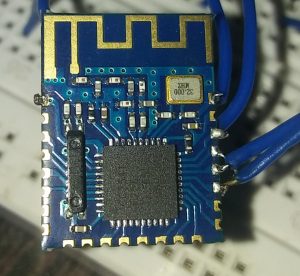
JDY-08 Module
It is based on TI-CC2541 SOC, Low power consumption – long range Voila!
Below is what is being advertised by most vendors:
- maximum transmit power of 0db, the maximum transmission distance of 80 meters.
- support serial allowing users to modify the device name through AT commands service UUID, transmit power, pairing password instructions, convenient to use and flexible.
- Ultra-low standby power consumption 400uA ~ 800uA
- Ultra-long connection distance 100 ft / 60 m
- Fast reaction speed 0.4 secondsFor Apple, AndroidReceive no byte limit, up to 6K Bytes/sec.
I quickly ordered 10pcs without a second thought.
Below is what you should keep in mind:
- Datasheet, documentation – everything is in Chinese! Cool !
Luckily, Few folks did translation – https://docs.google.com/document/d/14mHWT3GhELCj-6yxsam0k5bjzazq8nnPoz4B_gYh04k
Also, you can check http://forum.arduino.cc/index.php?topic=432074.0 because this is the only helpful resource in the web. - Firmware is broken – at least for me, some other user confirmed same in above Arduino thread.
- No other support.
- Non-standard board pitch, you cannot use header pins
But it is good in many ways:
- Small size, thin, light, small – cool!
- If you use HC-05 or HC-06 for transparent communication, you can use GATT terminal for transparent communication.
- Very low power consumption – from my tests, I found 0.5ma consumption.
- Long range – upto 30meters without optimization.
- iBeacon mode – works fine – but power consumption was 0.5ma
I was unable to test as I could only use GATT write & notify methods, AT commands to change mode & device name, even AT+RST returned ERR.
You can use following tools to test :
- Linux users can use this tuto -> https://github.com/pcborenstein/bluezDoc/wiki/hcitool-and-gatttool-example
- Android – for iBeacon – “Beacon Scanner“
- Android – GATT test – “BleTerm” or “BLE Monitor”
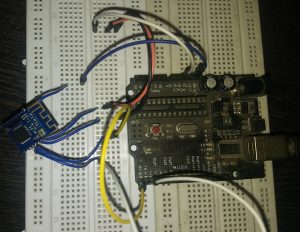
Below is schematic I followed: