Kindle Universal Dashboard
javascript · linux · server · snippets · By Madhurendra Sachan · (updated )
Kindle is Super awesome !
Because of its e-ink display. I wanted a display to present data which has – Least power consumption, Not painful to eyes & obviously one which doesn’t emit blue light.
E-Ink displays fit perfectly to my requirement – acquiring a display which can be driven using Raspberry Pi or Arduino is hard, size/cost ratio is much higher.
On googling I found some display modules which were more or near to 70-80$ – even smaller display – which impulsed me to get a Kindle Touch (8th Generation) at around 74$ approx.
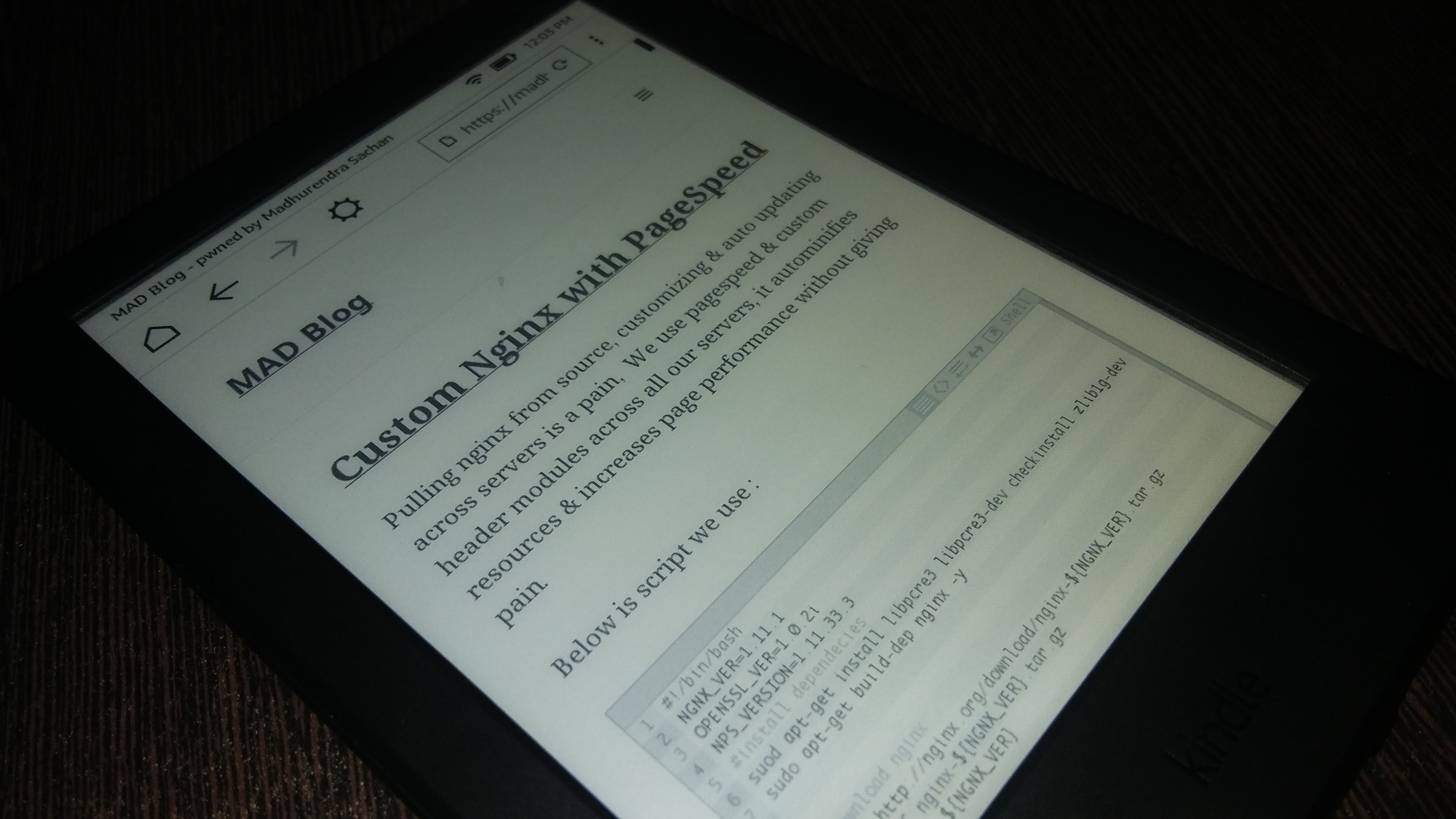 Kindle comes with an experimental browser but it is narrowed version of WebKit, which is pretty useful if you want to display static content or just want to make a control panel, it can easily render normal websites which use js/CSS & works pretty well. But support for HTML5 is almost absent – so you can’t use WebSockets to push data, using long polling/fast polling is only solutions so far.
Moreover, there was another problem which I had to fix – Kindle has fixed timeout which sends it to sleep mode – for mine it was 10min, after digging I found you can use `~ds` or similar but for me, nothing worked.
We can only hope that support to remove timeout or change timeout period will be added in future releases. I think old kindle supports.
If you can’t change timeout or you want to use few other features I suggest you to jailbreak. Follow steps mentioned here http://www.mobileread.com/forums/showthread.php?t=275877 , Don’t jump, It works for kindle touch 8th generation. Tried, tested, working ! For KT3 you will need to install MRPI along with KUAL. Once done your kindle is officially out of warranty 😀 . Post that you need to install USBNet – it will allow you to ssh to your kindle. All this will allow you to execute “lipc-set-prop com.lab126.powerd preventScreenSaver 1″ this on the kindle. It will simply disable screensaver. 🙂
Once you have your kindle whose screen doesn’t lock you can simply go & execute a simple nodejs script to push data.
Note : Kindle doesn’t support WebSocket & none of transport methods in socket.io except “polling”.
Below is nodejs server code :
var http = require('http'),
	fs = require('fs');
	//sanitize = require('validator').sanitize;

var app = http.createServer(function (request, response) {
	fs.readFile("client.html", 'utf-8', function (error, data) {
		response.writeHead(200, {'Content-Type': 'text/html'});
		response.write(data);
		response.end();
	});
}).listen(1337);

var io = require('socket.io')({
    "polling duration": 60,
    'log level' :1
}).listen(app);

io.set('transports', [ 'polling']);

io.sockets.on('connection', function(socket) {
	socket.on('message_to_server', function(data) {
		var escaped_message = (data["message"]);
		io.sockets.emit("message_to_client",{ message: escaped_message });
	});
});
Below is code of client.html
<!DOCTYPE html>
<html>
	<head>
		<script src="/socket.io/socket.io.js"></script>
		<script type="text/javascript">
			var socketio = io.connect();

			socketio.on("message_to_client", function(data) {
				document.getElementById("chatlog").innerHTML = ("<hr/>" + data['message'] + document.getElementById("chatlog").innerHTML);
			});

			function sendMessage() {
				var msg = document.getElementById("message_input").value;
				socketio.emit("message_to_server", { message : msg});
			}
		</script>
	</head>
	<body>
		<input type="text" id="message_input"/>
		<button onclick="sendMessage()">send</button>
		<div id="chatlog"></div>
	</body>
</html>
Voila – It works !
Below is video of working in case you want to see demo before getting hands dirty 🙂
Warning & Update : This method might consume more power than expected, as experimental browser has loading status – which continuously refreshes a section of the screen. To overcome this problem I will be polling server with long interval difference – which will be adjustable by the server.
Note for nerds : Since this method uses browser – it’s more flexible – but if you are possessive about power consumption & screen space – You can use JAVA to develop kindlet application. Lightweight pub/sub protocols like MQTT should help you in the way.
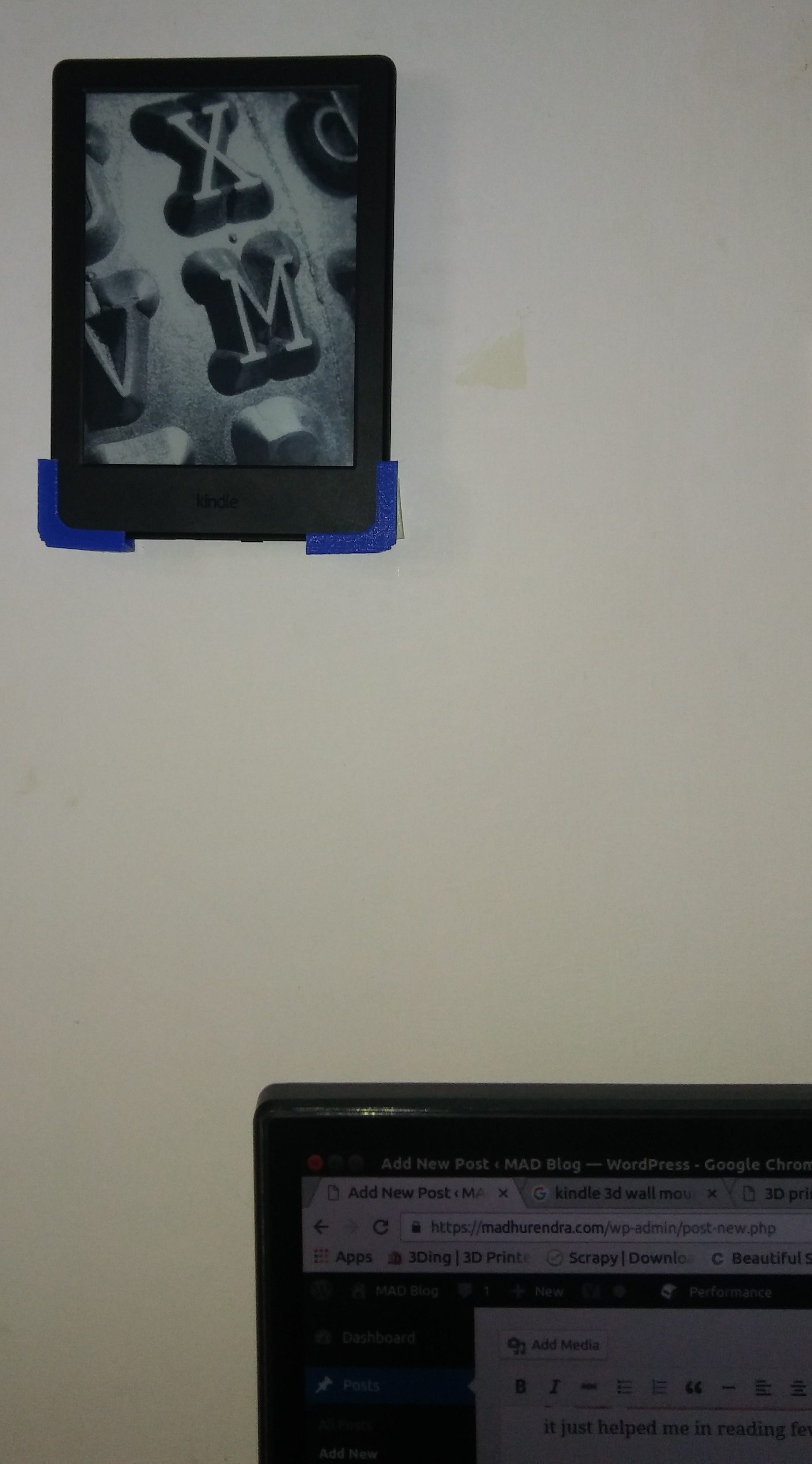 Designing a wall holder : You can google for covers or design own or use some double sided foam tape. Since i had access to 3d printer i got two of http://www.thingiverse.com/thing:832273 printed & hung it on the wall – it just helped me in reading few books apart from using it only as display. SWAP!
Use it as :
- Scoreboard
- Notification
- Weather system
- Wallpaper slideshow
- News/RSS feeds display
- Home automation control
- Anything
- Book reader 🙂
At the end, even if you place it behind your monitor it won’t hurt or push the new data to your eyes & spoil the code castle you were building.